
Connect Nova to Claude in 4 steps
Live on Claude desktop and web. Works with ChatGPT, Gemini and any AI assistant. Setup takes under 2 minutes.
Nova reconciles 73 Amazon charge lines, 45 refund lines and 21 reimbursement types down to a single SKU on a single day, and the P&L includes today.
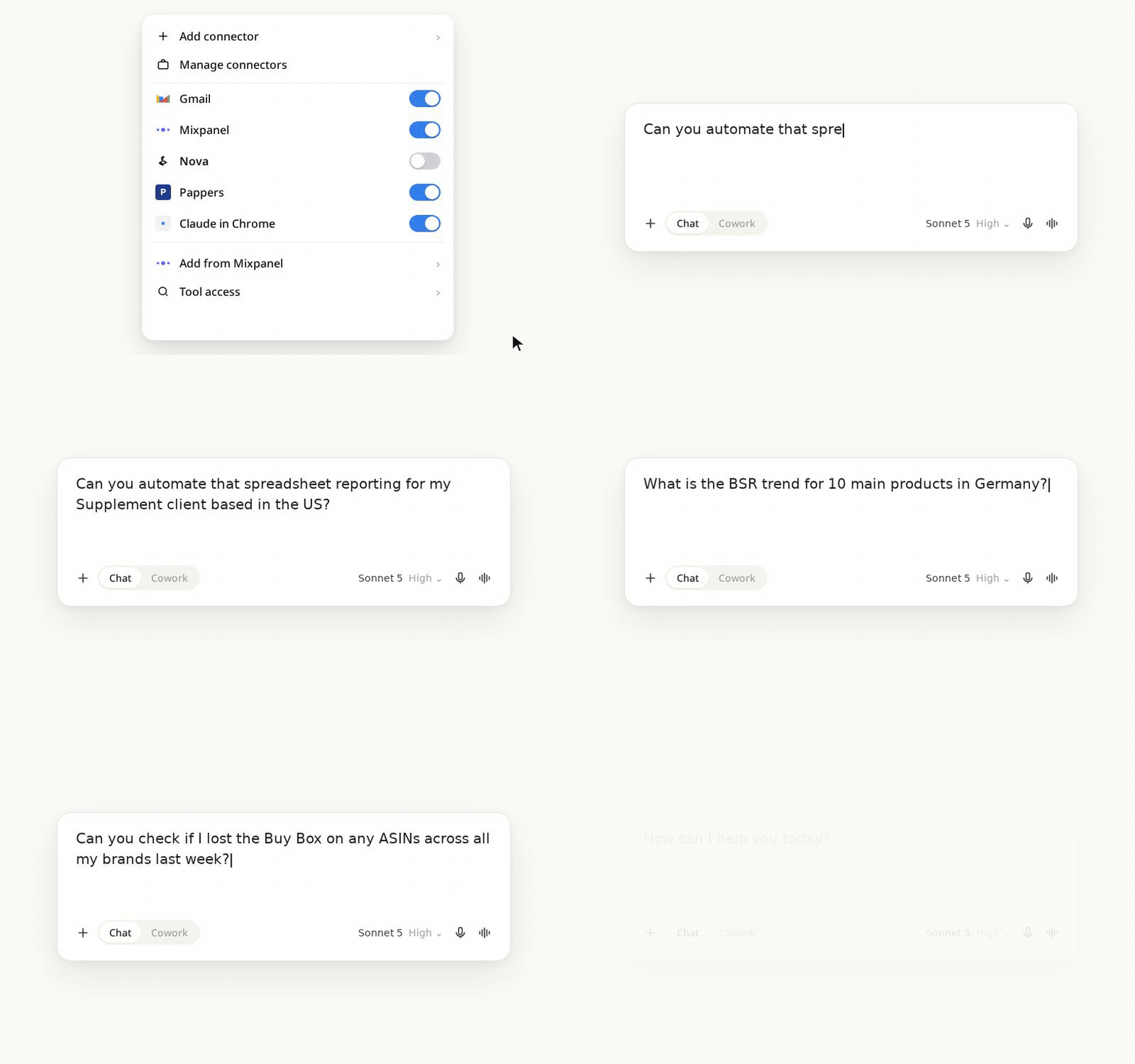
Not on Nova yet
Connect your Amazon APIs first
- Sign up for a Nova free trial. No card required.
- Connect Seller Central and Amazon Ads (read by default).
- Wait for the first hourly sync, then follow the 4 steps below.
How to Connect with Claude in one minute
Same server URL in ChatGPT, Gemini or Cursor. Add it in that assistant's connectors settings.
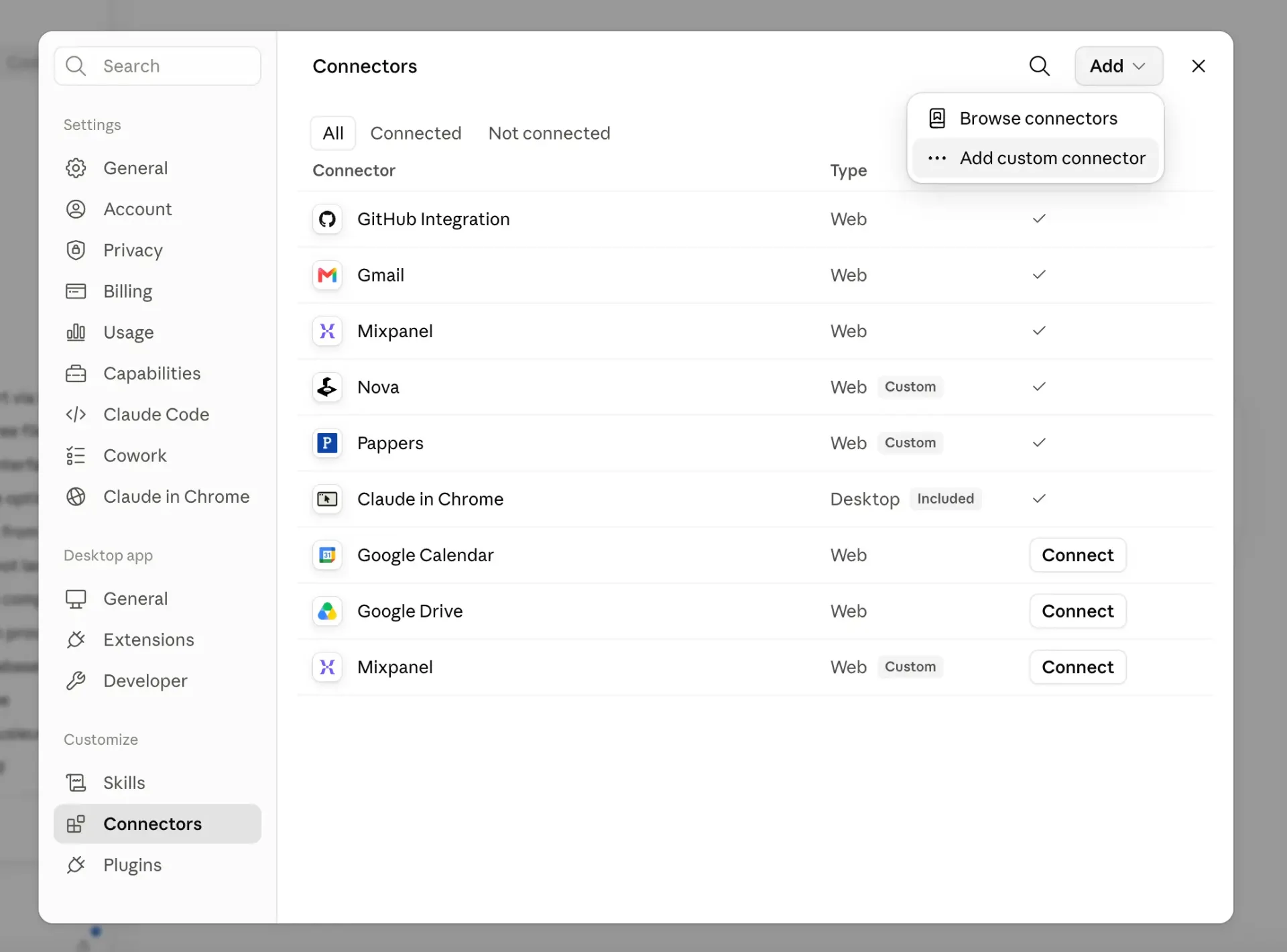
In the Connectors panel, click Add, then Add custom connector. If you do not see the option, check that you are on a Claude paid plan.
The most advanced Amazon MCP on the market
Most accurate dataset
Profit to the cent, at SKU level, across every marketplace.
Near real time
Answers on today's numbers, not last week's export.
Lowest token cost
Pre-computed metrics and structured tables keep every call frugal.
Every AI assistant
Claude, ChatGPT, Gemini, Cursor. One connector, same URL.
| What matters | Nova MCP | Raw Amazon APIs | Other Amazon MCPs |
|---|---|---|---|
| Profit accuracy | Reconciled to the cent at SKU level, every fee and reimbursement included | Raw reports, nothing reconciled | Partial, usually sales only |
| Data freshness | Hourly sync, near real time answers | Manual report pulls | Daily or on demand |
| Coverage | Sales, fees, COGS, PPC campaigns and keywords, SQP, inventory, BSR, listing health | Split across several separate APIs | A narrow slice of the data |
| Marketplaces | 23 Amazon marketplaces in one call | Per-region endpoints to stitch together | Limited |
| Token cost | Pre-computed metrics and structured tables keep every call frugal | Raw payloads, heavy to parse | Raw passthrough |
| Setup | Under 2 minutes, one URL | Developer work, tokens, throttling | Varies, often manual |
| AI assistants | Claude, ChatGPT, Gemini, Cursor. One connector | None, code only | Usually a single client |
Profit accuracy
Nova MCP
Reconciled to the cent at SKU level, every fee and reimbursement included
Raw Amazon APIs: Raw reports, nothing reconciled
Other Amazon MCPs: Partial, usually sales only
Data freshness
Nova MCP
Hourly sync, near real time answers
Raw Amazon APIs: Manual report pulls
Other Amazon MCPs: Daily or on demand
Coverage
Nova MCP
Sales, fees, COGS, PPC campaigns and keywords, SQP, inventory, BSR, listing health
Raw Amazon APIs: Split across several separate APIs
Other Amazon MCPs: A narrow slice of the data
Marketplaces
Nova MCP
23 Amazon marketplaces in one call
Raw Amazon APIs: Per-region endpoints to stitch together
Other Amazon MCPs: Limited
Token cost
Nova MCP
Pre-computed metrics and structured tables keep every call frugal
Raw Amazon APIs: Raw payloads, heavy to parse
Other Amazon MCPs: Raw passthrough
Setup
Nova MCP
Under 2 minutes, one URL
Raw Amazon APIs: Developer work, tokens, throttling
Other Amazon MCPs: Varies, often manual
AI assistants
Nova MCP
Claude, ChatGPT, Gemini, Cursor. One connector
Raw Amazon APIs: None, code only
Other Amazon MCPs: Usually a single client
Every Amazon data point your AI can query
546 data points across sales, profitability, PPC campaigns, ad groups and keywords, customer search terms, search query performance (SQP), Best Seller Rank, fees, refunds, FBA stock health, listing health, and your own cost inputs. All available over MCP.
Can't find what you need?
Connected. So what do you ask first?
32 prompts written for sellers who already know their ACOS: profit and margin, ad waste, keyword share, stock cover, listing health.
Open the prompt libraryTroubleshooting and FAQ
query_reviews: query_reviews returns reviews and ratings per ASIN and marketplace on Seller Central accounts: review counts are available only in North America (US, CA, MX, BR), while ratings are available on every marketplace.
query_subscribe_and_save: query_subscribe_and_save returns Subscribe & Save programme health, offers and each product's state from Amazon's replenishment data.
The rest of the Amazon MCP guide
Every page in this cluster answers a different question. Start at the pillar if you want the full picture.
- Nova MCP server for AmazonThe pillar page: every data point the Nova MCP serves, the comparison against other Amazon MCP servers, and how to connect.
- Amazon AI agentsThe agent layer: what you can build once an assistant can read your seller data.
- Amazon data for ClaudeThe data catalog Claude reads: sources, grains, and the SKU profit model behind them.
- Amazon data for ChatGPTThe same model, read from ChatGPT: custom GPTs, the API, or your own agent.
- Amazon data for GeminiGemini, AI Studio and Vertex reading the same reconciled Amazon dataset.
- Seller Central MCP serverAmazon's Selling Partner plugin next to Nova: what each can see, and the cost data Amazon does not hold.
- Amazon MCP prompt library32 copy-and-paste prompts for profit, PPC, keyword share, inventory and listings.
- Nova MCP tool referenceAll 39 tools, the question each answers, and what comes back.
- Amazon MCP for agenciesMulti-account operators: one connection across every client, and per-client profit after fees.