Amazon Profit Analytics: Find Where Your Margins Actually Go
Connect revenue, fees, COGS, PPC spend, and returns into one profitability analysis. See which products make money and which quietly drain it.

Why profit analytics catches margin leaks that revenue tracking misses
Revenue can grow 40% while profit drops 20%. Most sellers don't find out why until quarter-end.
Revenue grows, margins shrink
You're selling more units than ever. But storage surcharges, rising return rates, and PPC cost creep are eating the difference. Without SKU-level profitability data, you keep scaling the products that lose money.
Profitability by gut feel
You know your top-line revenue but not your contribution margin per product. Decisions about which SKUs to restock, which to cut, and where to shift budget are based on revenue rank, not profit rank.
Hidden cost creep
Amazon storage surcharges went up. Return processing fees changed. Your ad spend per conversion drifted higher. Each one shaves 1 to 2% off your margins. Together, they compound into 8 to 12% margin erosion over a quarter.
No single source of truth
Revenue lives in Seller Central. Ad spend is in the Ad Console. COGS sit in a spreadsheet. Returns are in a third report. Reconciling them into one profitability view takes hours every week, and the result is still 75 to 85% accurate.
Diagnose profitability at every level
From portfolio-wide margin trends down to per-unit contribution margins. Nova connects your P&L, fees, and COGS into one profitability analysis.
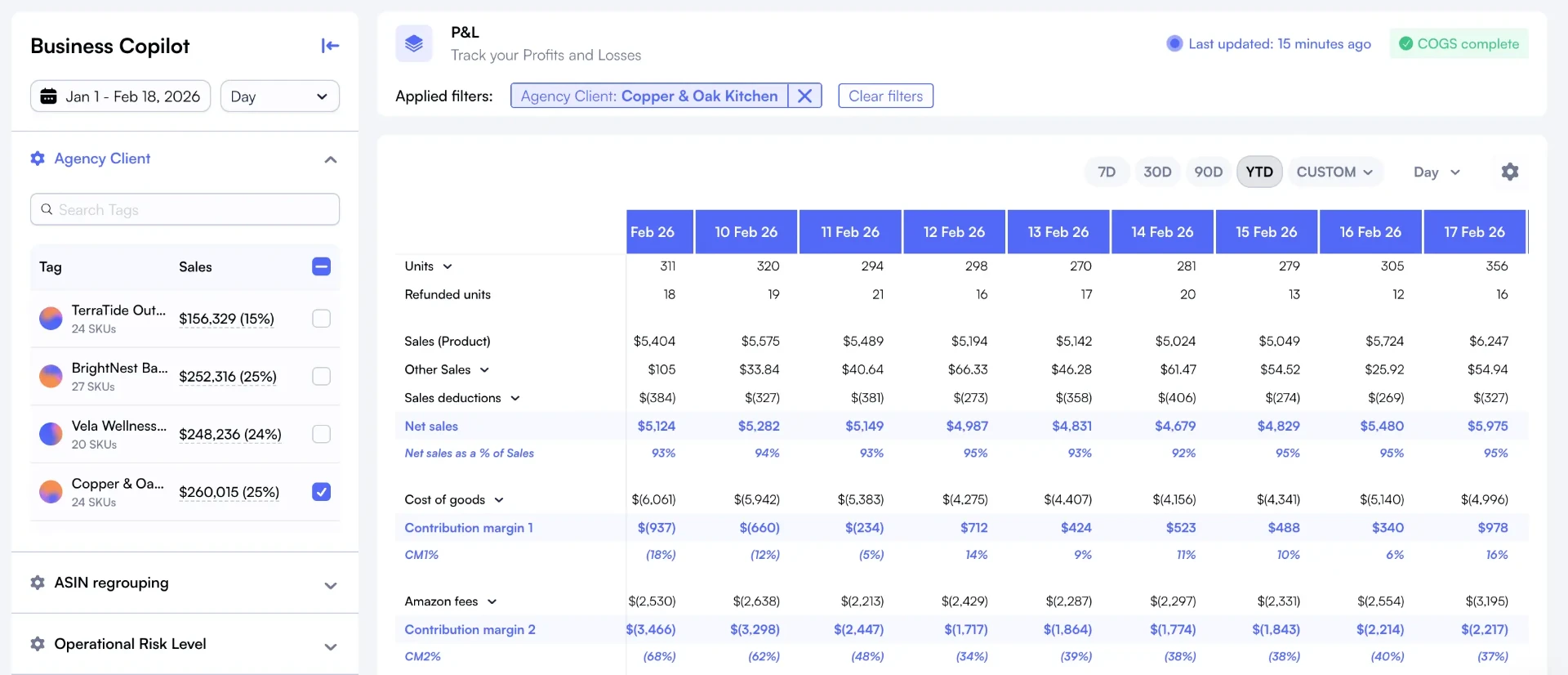
See every dollar from gross revenue to net profit, updated daily across 21 marketplaces.
Explore
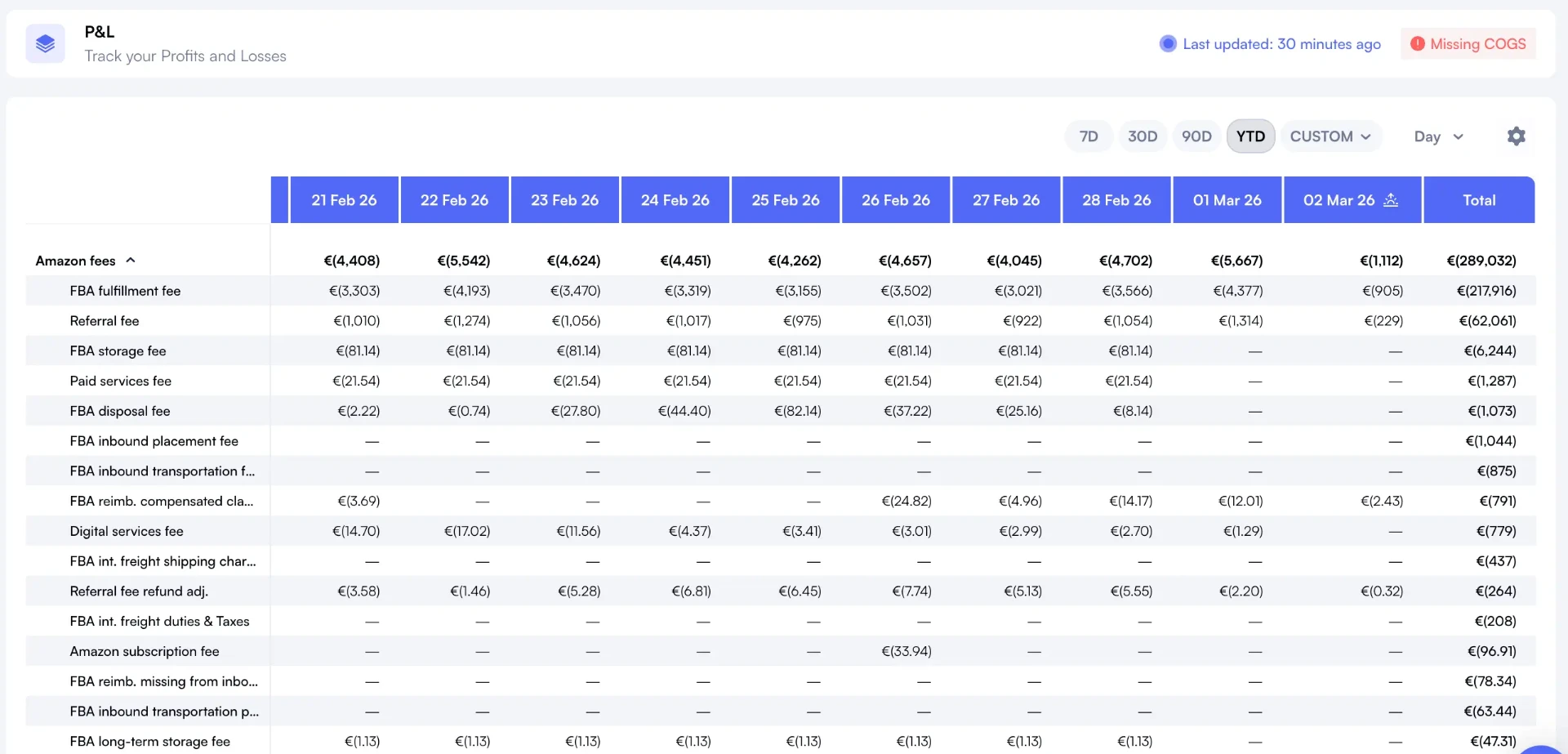
Break down 40+ Amazon fee types per SKU. Spot the exact cost lines eroding your margins.
Explore
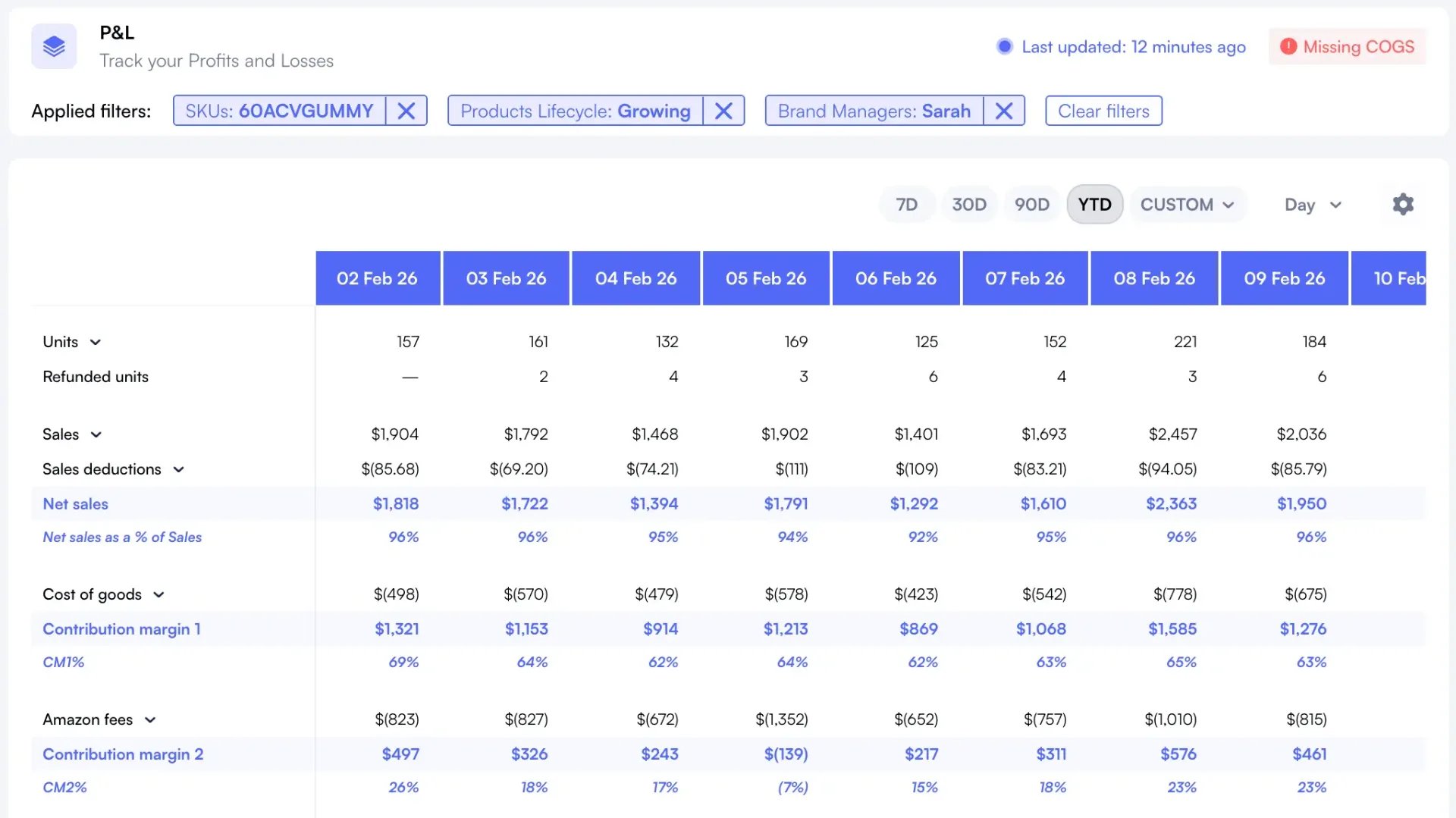
CM1, CM2, CM3 per unit. Then rank every SKU by margin contribution to find what drives profit and what drains it.
Explore
200+
Cost Lines Tracked
Every fee, cost, and deduction mapped
21
Marketplaces
Unified profitability across all regions
5-15%
Avg. Hidden Margin Gap
What sellers discover switching from spreadsheets
< 5 min
Time to First Insight
From account connect to profitability view
How it works
From zero to a full profitability analysis in under 5 minutes.
Connect Your Amazon Account
Link your Seller Central account through Amazon's official SP-API. Nova pulls every order, fee, return, and ad transaction automatically. Takes under 2 minutes.
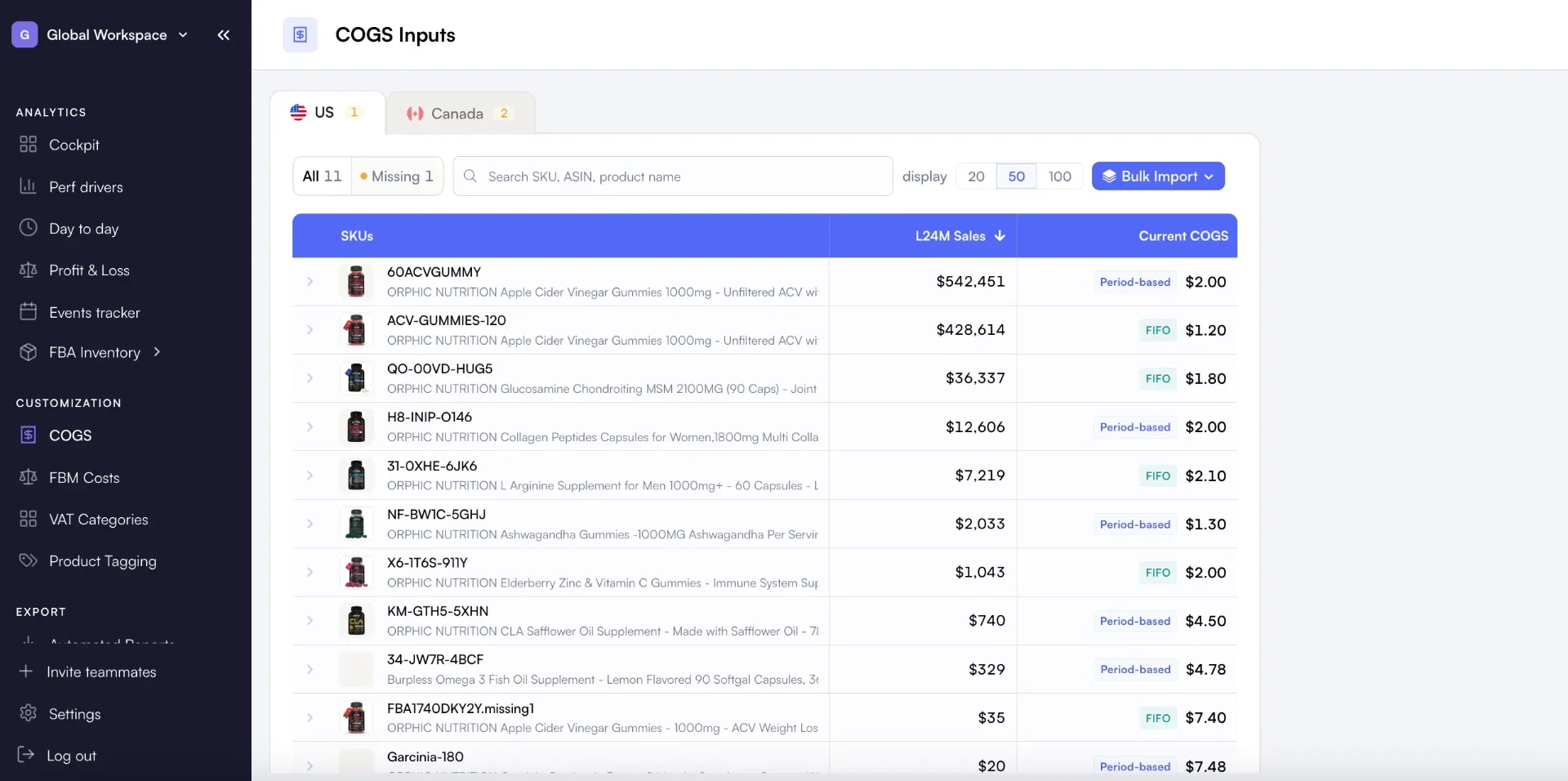
Add Your Cost of Goods
Enter COGS per SKU or bulk import via CSV. Nova combines your product costs with Amazon's 40+ fee types and PPC spend to build a complete profitability picture.
Diagnose Your Margins
Drill into profitability by product, category, marketplace, or time period. Find where margins leak, which fee lines changed, and what drove the shift.
Act on Insights
Sort products by margin contribution. Tag underperformers. Set up custom breakdowns by brand, category, or marketplace to track profitability by segment going forward.
Nova vs manual analysis vs Sellerboard
Purpose-built profitability diagnostics vs tools that show you numbers without the "why."
| Capability | Manual Analysis | Sellerboard / Generic | Nova |
|---|---|---|---|
| Root cause identification | ✗ Hours of digging | ✗ Shows totals only | ✓ Drill from margin drop to exact cost line |
| Segment comparison | ✗ Separate sheets per brand | ✗ Limited grouping | ✓ Custom breakdowns by brand, category, tag |
| Margin trend decomposition | ✗ Snapshot-only | ✗ Basic charts | ✓ Time-series by cost type per SKU |
| Winners vs losers ranking | ✗ Pivot table workarounds | ✗ Revenue-based only | ✓ Ranked by profit contribution |
| Multi-marketplace rollup | ✗ Separate files per region | ✗ Limited marketplace support | ✓ 21 marketplaces, unified view |
| Fee change detection | ✗ Manual comparison | ✗ No alerts | ✓ Flags fee increases automatically |
| Setup to first insight | Days to weeks | Hours (limited depth) | Under 5 minutes |
| Accuracy vs Settlement | ~75-85% | ~90-95% | 99.8% |
| Ongoing maintenance | Weekly manual updates | Some automation | Fully automated |
Who runs profitability analysis with Nova
Different roles, same question: where does the profit go?
Growth-Stage Sellers ($50K-$500K/mo)
You're past the launch phase. Revenue is strong, but you're not sure which products are actually profitable after all fees, COGS, and ad spend. You need to know which SKUs to double down on and which to cut.
- SKU-level margins with all 40+ fee types included
- Winners vs losers ranked by profit, not revenue
- Spot cost creep before it compounds
Portfolio Managers (20+ SKUs)
You're running a catalog across multiple categories, maybe multiple brands. You need profitability segmented by product line, brand, or marketplace to make portfolio-level allocation decisions.
- Custom breakdowns by brand, category, or tag
- Cross-marketplace profitability comparison
- Contribution margin trends over time
Agency Strategists
Your clients ask: 'Where did the money go?' You need to show them, clearly, with data they trust. Nova gives you per-client profitability analysis with exportable reports that prove your value.
- Multi-account profitability in one view
- Before/after margin data for strategy changes
- Data exports for client QBRs and reviews
Explore related analytics: Profit Tracker, Profit Calculator, Financial Dashboard, Seller Accounting, and ROI Calculator.
What is Amazon profitability analysis?
Amazon profitability analysis is the practice of mapping every cost in your business (Amazon fees, cost of goods sold, advertising spend, returns, storage charges) to every product you sell to determine true net profitability. It answers the question most Amazon sellers can't: which products actually make money after all costs are deducted?
Effective profitability analysis goes beyond basic profit calculations. It tracks how margins change over time, identifies the specific cost lines causing margin erosion, and segments profitability by product, brand or category, marketplace, and time period.
The output of a good profitability analysis isn't a number. It's a decision. Which SKUs should you restock? Which need a price increase? Which are candidates for discontinuation? Nova automates the data collection and calculation so you can focus on the actions that move margins.
For daily monitoring of your margins, pair this analysis with Nova's profit dashboard. And to track the underlying numbers powering your decisions, explore our profit tracker.
Why Sellers Choose Nova for Profitability Analysis
"We thought our top-selling product was our most profitable. Turns out it was 4th. Two smaller SKUs had 3x better margins. We would never have found that in our spreadsheet."
eCommerce Director
85 SKUs across US and EU
"We were hemorrhaging margin on 6 SKUs due to aged inventory surcharges. Nova flagged it within the first week. That alone saved us $12K in the next quarter."
Operations Manager
$200K+/mo Amazon seller
Simple, transparent pricing
Start free. Scale when you're ready.
14-day free trial • No credit card required • Cancel anytime
- Profit & loss analytics
- PPC Analytics
- Custom breakdowns
- Buy Box %
- BSR Tracker
- Returns Analytics
- Consolidated Data Exports
- Priority support
Unlimited accounts. Dedicated support.
- Unlimited orders
- Unlimited accounts
- Unlimited team seats
- Advanced User Management System
- Client-first view
- Dedicated account manager
- Custom data exports
- SLA guarantees
Amazon Profit Analytics: FAQ
Common questions about profitability analysis for Amazon sellers.
Related solutions
Explore other tools that complement your Amazon selling strategy
Amazon Profit Tracker
Track profit trends over time across your entire portfolio
Amazon COGS Tracker
Monitor cost of goods sold and gross margins per product
Amazon FBA Fee Calculator
Break down all 40+ Amazon fee types eating into your margins
Amazon Financial Dashboard
Unified P&L, fees, COGS, and margins in one daily-updated financial view
Stop Guessing. Start Analyzing.
Connect your Amazon account in 5 minutes. See exactly where your profit goes, product by product.