Can ChatGPT Read My Seller Central Data? 2026 Answer
ChatGPT cannot log into Seller Central. It can read your Amazon data through an MCP connector that already holds authorised access, and the connector you choose decides whether the answers are worth acting on.
•ChatGPT cannot log into Seller Central. It reads your data only through a connector that already has authorised access.
•The connector standard is MCP, and ChatGPT supports remote MCP servers alongside Claude and Gemini.
•Pasting exports works for one question and breaks for everything recurring.
•What matters is whether the connector returns modeled metrics or raw rows: the first answers, the second hallucinates.
•Read-only, revocable, per-account credentials are the safety baseline to insist on.
It is the most common question we get from sellers experimenting with AI. The short answer is no, not by itself, and yes, through a connector. The longer answer explains why the connector you choose decides whether the answers are worth acting on.
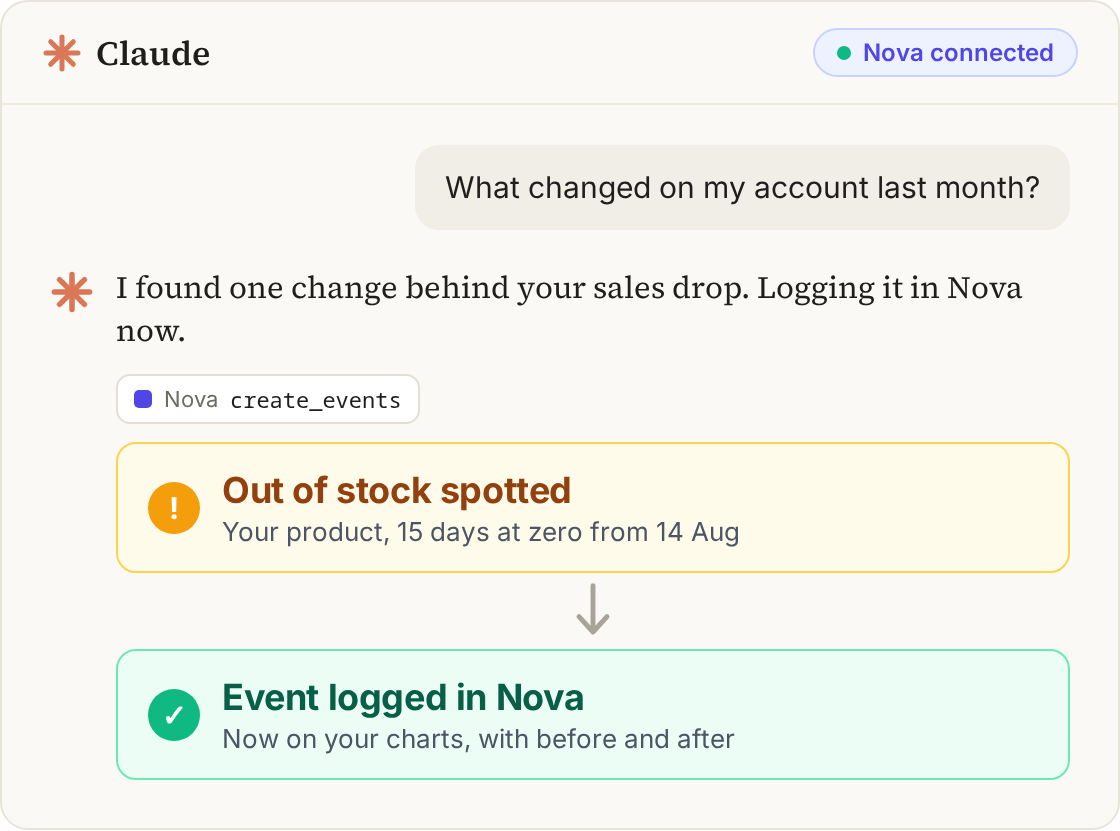
A connected Claude conversation can pair an analysis with an event to revisit.
Why ChatGPT cannot just read Seller Central
Seller Central is behind authentication, two-factor and Amazon's own access controls. There is no public surface an assistant can browse, and Amazon's programmatic access runs through the Selling Partner API, which requires a registered application and per-seller authorisation. Consumer AI products do not hold that authorisation for your account, and should not.
So the assistant needs an intermediary: something that is already authorised to read your account, and that exposes what it reads in a way the model can call. That is exactly what the Model Context Protocol standardises. OpenAI documents MCP support for connecting external systems in its developer documentation, and the protocol itself is open, published at modelcontextprotocol.io.
The three ways sellers try this
1. Paste an export
Download a business report, drop it in the chat, ask a question. It works for a narrow, static question. It fails for profit questions, because Amazon's exports do not contain your cost of goods and split fees across reports that need reconciling. The model fills the gap by assuming, and an assumed margin is worse than no margin.
2. Build a custom SP-API integration
Technically correct, expensive in practice. You are now maintaining OAuth, per-operation rate limits, report scheduling, currency handling and fee reconciliation, before you get to the first useful answer. Teams with an in-house data engineer do this. Most sellers should not.
3. Connect an analytics MCP server
The connector already holds the authorised Amazon connection, already reconciles fees into a P&L, and exposes tools the assistant can call: profit by SKU, ad spend by search term, days of inventory cover, listing health. You add one endpoint in ChatGPT's connector settings and ask your question in English.
The test that separates connectors
Ask any connector the same question: "which SKUs lost the most net profit last month, and why?" A raw API wrapper cannot answer it, because net profit does not exist as a field anywhere in Amazon's APIs. It has to be modeled. If the connector answers with confident numbers but has no cost-of-goods setup behind it, the numbers are invented.
Connect ChatGPT to your live Amazon numbers
Nova MCP reads by default across profit, PPC, inventory and listing health. Owner-enabled listing edits are previewed and confirmed before they reach Amazon.
Instead of opening five Seller Central reports, you ask. A few real examples from sellers running this daily:
"Which of my SKUs are below break-even after fees this month?"
"Show search terms with over $75 spend and no orders in the last 30 days."
"Which listings are suppressed right now, ranked by their trailing 90-day sales?"
"What runs out of stock first at current velocity?"
Each of those is one tool call returning a short table, which is why the answers arrive in seconds rather than after a paging marathon. The prompt library has the phrasing that works best, and the Nova MCP tools page lists every tool available.
Security questions worth asking first
Read or write? A read-only connector cannot damage an account, whatever the model decides to try.
Per-account credentials? You should be able to revoke one connection without touching the rest of your setup.
What data leaves? Aggregated business metrics are a different exposure from raw buyer records.
Who can connect? The credential should be yours, scoped to your accounts, not a shared key.
Our take
Should you connect ChatGPT to your Amazon data?
Yes, through a scoped analytics connector with explicit approval for every write. No, through pasted exports if the answer will drive a pricing, budget or restock decision.
Best fit if
•Sellers who ask the same performance questions every week
•Teams where non-analysts need answers without learning a dashboard
•Agencies handling several accounts in parallel
Skip if
•Anyone needing campaign, price or stock changes through the assistant
•Teams with no cost-of-goods data, where profit answers will be incomplete until costs are loaded
What is possible today, and how to set it up safely
Not on its own. ChatGPT cannot log into Seller Central, and Amazon does not expose your account to consumer AI products. It can read your data when you connect it to an MCP server that holds an authorised connection to your seller account and exposes that data as tools.
For a one-off question, sometimes. For recurring work it fails on three fronts: the data is stale the moment it is exported, the fee columns in Amazon's exports do not reconcile into profit on their own, and the assistant has to do arithmetic it is not reliable at.
Yes. Remote MCP servers are supported across the major assistants, so the same connection serves whichever client your team prefers. The tools and the answers are identical; only the interface differs.
It depends on the connector. A read-only server with per-account, revocable credentials cannot change anything in your account. Check whether the server can write, what it stores, and how you revoke access before connecting.
It sees what the server exposes. A well-scoped seller analytics server exposes aggregated business metrics such as sales, fees, margin, inventory and ad performance, not buyer names or addresses.
With a read-only connection it cannot change prices, edit listings, adjust bids or create shipments. It answers and recommends; execution stays with you or with a separate action tool.