Amazon Settlement Report - How to Read and Reconcile It in 2026
The settlement report is the only Seller Central file that lists every order, refund, fee, and adjustment as a separate row. This guide covers what is inside a cycle, the six columns that matter, the reconciliation mistakes that overstate margin, and how to roll settlements up into a clean monthly P&L.
Every serious Amazon P&L is reconciled against one file: the settlement report. It is the only source that lists every order, refund, fee, storage charge, promotion, and adjustment as a separate row, with the exact posted date Amazon used to compute your next disbursement. This guide covers what is inside a settlement, how to read each column, the reconciliation mistakes that quietly overstate margin, and how to roll a cycle up into a clean monthly P&L (in a sheet or in Nova).
In short
•The settlement report is the only Seller Central file with one row per transaction and one column per fee type. Business Reports and the Payments summary both flatten this.
•Reconciliation fails when you mix order date and posted date. Settlements are posted-date; Business Reports are order-date. Refunds and reserves widen the gap.
•40+ amount-descriptions collapse into 6 P&L blocks: gross sales, promotions, returns, commission, FBA fees, other adjustments. Everything else is noise until you pivot.
•Advertising billed on-account shows up here too. Off-account ad invoices do not, which is the #1 reason a settlement-based P&L understates true TACoS.
•The settlement is Amazon-fees-truth. It is not COGS-truth. Contribution margin still needs your own cost basis mapped in per SKU.
Our take
If you only do one thing this month
Download your last three settlement reports as flat-file V2 CSVs, pivot on amount-description, and compare the resulting gross-to-net waterfall against the P&L you show your accountant. Any line that differs by more than 1% is either a missed fee category or a timing mismatch. Both are fixable in an afternoon.
Best fit if
•Sellers who have never opened the raw settlement CSV and rely only on Payments summary
•Finance teams reconciling Amazon revenue to Xero, QuickBooks, or NetSuite
•Anyone whose P&L margin and Seller Central net disbursement disagree by more than 2%
Skip if
•Sellers who already have a fully reconciled per-SKU P&L that ties to bank deposits within 1%
A settlement covers a fixed window (14 days is standard, sometimes 7 for large accounts) and closes with a bank disbursement. Between the open and close of that window, every transaction Amazon processed is written to the file: sales, refunds, chargebacks, FBA per-unit fees, referral commissions, monthly storage, aged-inventory surcharges, coupon funding, promotional rebates, tax withheld, and dozens of adjustments most sellers never notice until reconciliation.
Amazon documents the file structure in the SP-API Reports schema. The flat-file V2 version is what most operators actually work with because it opens cleanly in a sheet or a warehouse; the XML variant is only worth touching if you already have an ETL pipeline.
The columns that matter
A settlement CSV ships with 24 columns. Six of them do the real work. The rest are metadata that only matters when a specific reconciliation breaks.
Principal, Commission, FBAPerUnitFulfillmentFee, StorageFee, and ~40 others
The exact fee, promotion, or revenue line. This is the pivot key for a P&L
amount
Signed dollar amount
Positive = to your account, negative = deducted
posted-date
Timestamp Amazon used to settle the row
The correct date for finance. Not order-date
sku
Your seller SKU (empty on account-level fees)
The join key to your COGS table and Nova's per-SKU P&L
Nova insight
The most common reconciliation error is treating each row as one order. It is not. A single order typically writes 5 to 9 rows to the settlement: Principal (revenue), Commission (referral fee), FBAPerUnitFulfillmentFee, ShippingTax, sometimes Promotion, sometimes ItemWithheldTax, and, if it later refunds, another Principal reversal in the next cycle. Pivot by amount-description first, then group by order-id if you need order-level detail.
Rolling a cycle up into a clean monthly P&L
The whole point of pulling settlements is to rebuild a monthly P&L that ties to bank deposits. Six blocks are enough for 90% of operators:
Gross sales: sum of amount where amount-description = Principal and transaction-type = Order.
Promotions: sum of amount where amount-description = Promotion. Almost always negative.
Returns: sum of amount where transaction-type = Refund. Includes returned Principal, refunded Commission (positive to you), and any RefundCommission adjustment.
Amazon commission: sum of amount where amount-description = Commission.
FBA fees: sum of amount where amount-description in (FBAPerUnitFulfillmentFee, FBAWeightBasedFee, FBAPerOrderFulfillmentFee).
Other Amazon costs: everything else in amount-type = ItemFees plus StorageFee, LongTermStorageFee, aged-inventory surcharge, subscription fees, coupon redemption fees.
Add COGS from your own cost table and you have contribution margin per cycle. The July 2026 aged-inventory and low-inventory fee overhaul, documented by Beancount, means the "other Amazon costs" block is the one most likely to grow quietly cycle over cycle. Watch its share of gross sales, not just its absolute value.
Business Reports and the ad console report by order date. Settlements report by posted date. If you pull a month of Business Reports and a month of settlements and expect gross sales to match, they will not. The gap is usually 2 to 4 days of unposted orders at the month boundary. Always use posted-date for the settlement side.
2. Ignoring refund cycles
A refund often posts one, two, or three cycles after the original sale. If you build a monthly P&L that only nets refunds inside the same month as the sale, you overstate margin in month 1 and understate it in month 3. Reconcile refunds by posted-date, not by original order date.
3. Missing account-level fees
Storage fees, aged-inventory surcharges, subscription fees, and the Amazon Selling Partner monthly fee all have empty sku and empty order-id. If you filter the settlement to "rows with a SKU" you drop these entirely and quietly inflate margin by 1 to 3 points.
4. Skipping reserves and holdbacks
Amazon holds part of your balance for A-to-Z guarantee, chargebacks, and pending refunds. The total-amount at the top of a settlement is what Amazon owes you for the cycle; the deposit is what actually hits your bank. The difference is reserve. Reconcile the total-amount line, then track reserve as a balance-sheet item, not a P&L expense.
5. Off-account ad billing
If your Amazon Ads account is billed on-account (deducted from disbursements), ad spend shows up in the settlement as amount-description = advertising. If it is billed off-account (charged to a credit card), it never appears in the settlement. Many sellers reconciling on settlements alone accidentally exclude 80% of their ad spend and report a wildly inflated contribution margin. Check the ad console billing settings before you trust a settlement-based TACoS.
How Nova maps settlement rows to per-SKU P&L
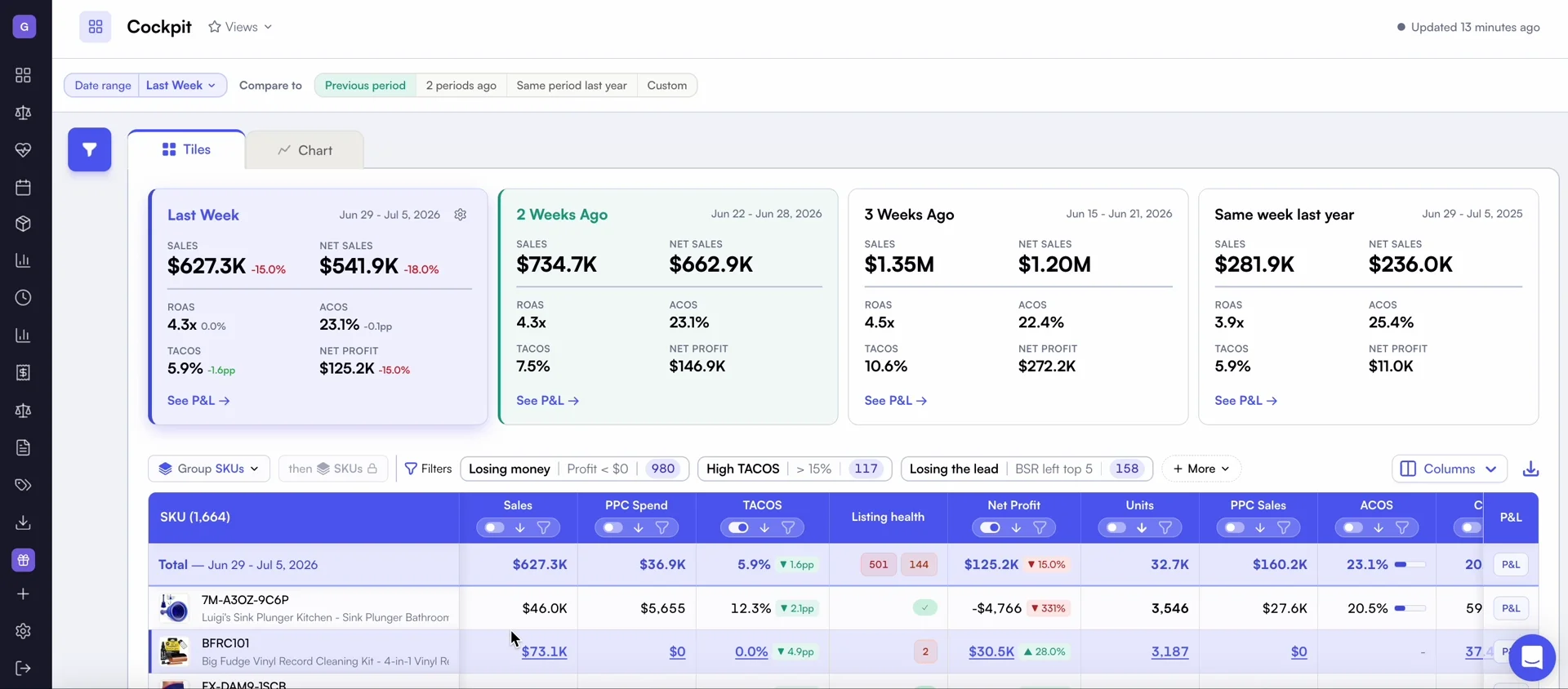
Nova's per-SKU P&L, pivoted from the settlement report on every disbursement cycle.
Nova pulls the flat-file V2 report on every cycle for all 23 Amazon marketplaces, pivots amount-description into the 40+ fee lines Nova's P&L view exposes, and joins it against your COGS, freight, and any tags defined in Custom Breakdowns. Refunds are attributed back to their original posted-date month by default; reserves are surfaced separately so cash and P&L never mix.
For the accounting-workflow view of the same data, the monthly P&L template shows how the six settlement blocks map to a finance-ready statement. For the deeper reason numbers still drift after reconciliation, the data accuracy guide covers timing, currency, and marketplace-level pitfalls that survive even a clean settlement pivot.
Frequently asked questions
The settlement report is the raw payment reconciliation feed Amazon publishes each disbursement cycle (usually every 14 days). Every order, refund, fee, storage charge, promotion, and adjustment that hit Seller Central during the period is a separate row. It is the closest thing Amazon gives you to a general ledger and the file every P&L should reconcile against.
Seller Central, Reports, Payments, Settlement Reports tab. Amazon keeps 3 years of history. For automation, pull GET_V2_SETTLEMENT_REPORT_DATA_FLAT_FILE_V2 via SP-API.
Business Reports use order date, settlements use posted date, and settlements include refunds and reserves that Business Reports ignore. Group by posted-date and include refund rows to reconcile.
The bottom line
The settlement report is the only Amazon file that ties revenue, fees, refunds, and reserves to real money moving into your bank. Read it once, pivot on amount-description, and every downstream P&L (yours, your accountant's, Nova's) starts agreeing. Skip it, and every dashboard you look at is guessing.