
Calculate your Amazon FBA profit accurately

See the full profit formula, what most sellers miss, and how Nova automates SKU-level P&L across 21 marketplaces.
Rated 4.9/5 · 14-day free trial · No credit card
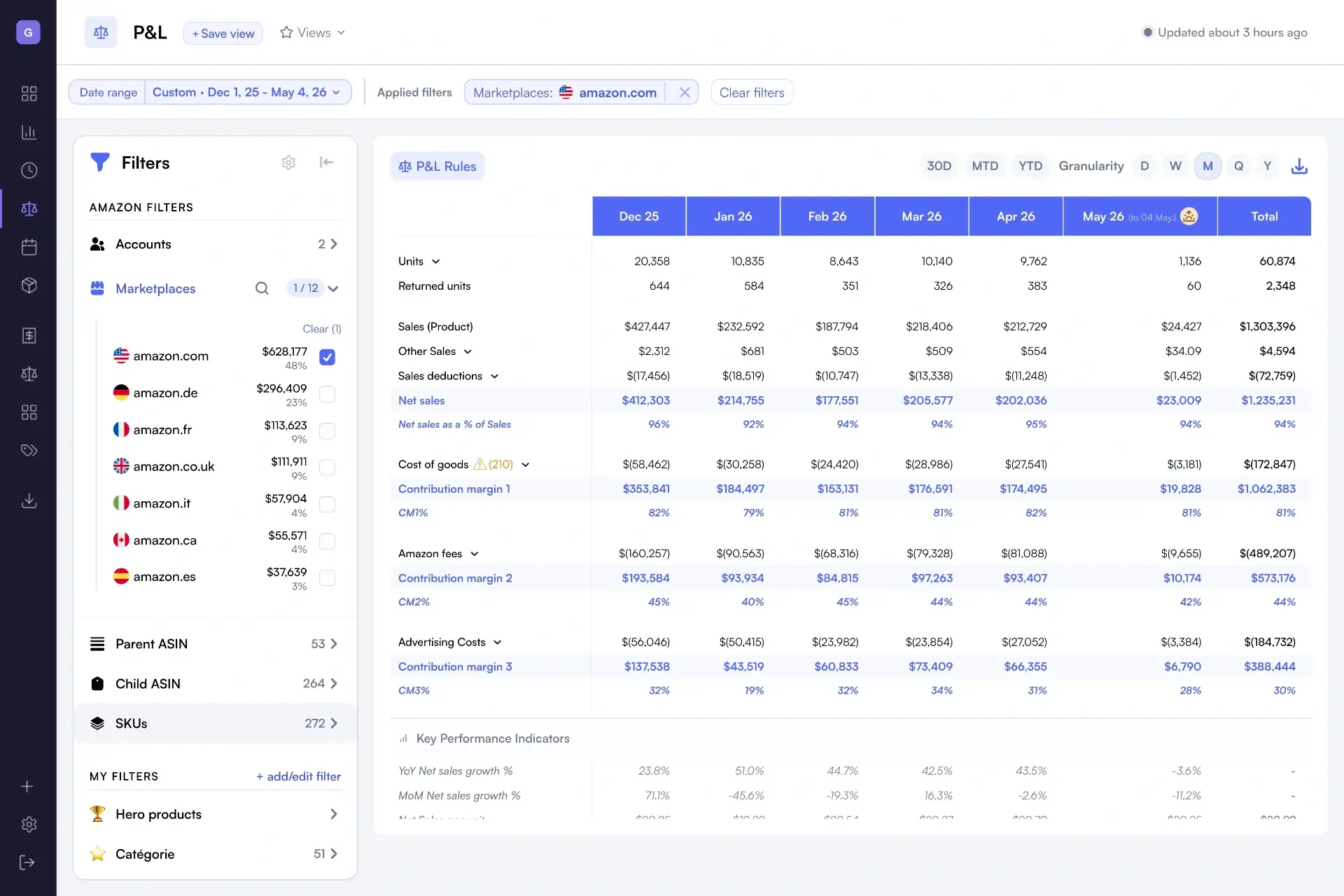
Nova P&L dashboard showing Amazon FBA profit calculated per SKU with all fees, COGS and PPC included

The Amazon FBA profit formula

Profit is what stays after every cost is removed. Five variables drive the result.

Revenue − Amazon fees − COGS − PPC − Operating costs = Net profit

Revenue

Gross sales after promotions and shipping income, per SKU and per marketplace.

Amazon fees

Referral, FBA fulfillment, storage, returns, refund admin and 35+ other fee types.

COGS

Landed cost of goods, including manufacturing, freight, duties and inbound shipping.

PPC

Sponsored Products, Brands and Display spend, allocated to the SKU that drove the sale.

Operating costs

Software, payroll, prep, agency fees and other recurring overhead.

Why calculating FBA profit by hand fails

The math looks simple. The data behind it is not.

01

Spreadsheets go stale within a week

Amazon adjusts fees quarterly and PPC costs shift daily. A formula written in January is wrong by February.

02

40+ Amazon fee types are easy to miss

Storage, returns processing, refund admin, low inventory, inbound placement. Skip one and your margin is overstated.

03

PPC is rarely allocated per SKU

Most sellers track ad spend at the campaign level. Without per-SKU allocation, true profit per product stays invisible.

04

Refunds and reimbursements skew margin

Returns, refunds and FBA reimbursements land on a delay. Without ingesting them, last month's profit keeps moving.

How Nova calculates it for you

Connect your Seller Central account once. Nova ingests every order, fee, refund and ad event, and turns them into a P&L you can trust.

99.8% accurate P&L

Verified against Amazon Settlement Reports. Data refreshes every 30 minutes.

40+ Amazon fee types

Referral, FBA, storage, returns, refund admin, inbound placement and more, tracked automatically.

SKU, ASIN, brand, marketplace

Break down profit by SKU, parent ASIN, brand, category and marketplace, in one view.

Calculating Amazon FBA profit: questions sellers ask

Everything you need to know to calculate FBA profit accurately.

Amazon FBA profit is calculated as: Revenue minus Amazon fees, minus cost of goods sold (COGS), minus PPC ad spend, minus operating costs. Amazon fees include the referral fee, FBA fulfillment fee, monthly storage, long-term storage, returns and refund admin fees, and inbound placement charges. Most sellers underestimate the fee side because Amazon spreads charges across different reports.
To get an accurate FBA profit, include all 40+ Amazon fee types: referral fee, FBA fulfillment, monthly and long-term storage, removal and disposal, inbound placement, returns processing, refund administration, low inventory level fee, high-return-rate fee, and any promotional fees. Leaving any of these out typically inflates margins by 5 to 15 percent.
Spreadsheets go stale because Amazon updates fees quarterly, PPC costs change daily, and refunds and reimbursements are reported on a delay. A static formula cannot keep up. Within a few weeks the numbers no longer match Settlement Reports, which is why most sellers stop trusting their own profit file after one or two fee changes.
Yes. Nova breaks down profit by SKU, parent ASIN, brand, category, and marketplace. You can see net margin and contribution margin per product in real time, including allocated PPC spend and COGS. This makes it easy to identify which SKUs make money and which ones quietly lose money after all fees.
Yes. Nova ingests refund events, returns processing fees, and Amazon reimbursements directly from Seller Central, so they are reflected in your profit calculation as soon as Amazon reports them. You no longer need to reconcile Settlement Reports manually to know your true margin.
Nova's P&L is verified at 99.8 percent accuracy against Amazon Settlement Reports. Data refreshes every 30 minutes across 21 marketplaces, so the profit you see today reflects the orders, fees, and ad spend that landed in your account today, not last week.
Most established Amazon FBA brands target a 15% to 25% net margin after all fees, COGS, and PPC. Private label brands often run higher, while reseller and arbitrage models run lower. Nova benchmarks your margin trend over time so you can see whether your business is moving toward or away from a healthy range.
Yes. Nova supports 21 Amazon marketplaces with automatic currency conversion. You can calculate profit consolidated across regions or drill down by marketplace, with the same fee logic and 99.8% accuracy applied everywhere.
Most sellers connect Seller Central and see a complete P&L in under 15 minutes. Nova ingests up to 24 months of historical data automatically, so you start with full context on Day 1 instead of waiting weeks to build a baseline.

Stop calculating. Start knowing.

Connect your Seller Central account and let Nova calculate FBA profit per SKU, refreshed every 30 minutes.