




Category-level analytics for your Amazon catalog
Tag your SKUs once. Read your whole portfolio by category, not one ASIN at a time.

Most teams still read Amazon SKU by SKU
Seller Central reports by ASIN. Its category reports stop at gross sales. If you sell across more than one product line, that leaves you guessing which category actually carries the business.
Category P&L lives in a spreadsheet
To see margin per category, you export Business Reports, pivot, then merge with COGS and ad spend. The number is stale before it hits the deck.
Sibling SKUs eat each other
Two SKUs in the same sub-category often fight for the same shopper. Without a sub-category view, you keep funding both and never see the overlap.
Amazon stops at gross sales
Seller Central's category view shows units and revenue. It ignores the 40+ FBA and referral fees, COGS, ad spend, and storage. The number you see is not the number that lands in the bank.
Storage fees hide by category
One slow category can drag the whole portfolio into long-term storage fees. Without days-of-inventory by category, the bleed only shows up on the FBA bill.
Build a category in three ways
You decide the taxonomy. Nova handles the roll-up. Most sellers mix the three methods below: bulk for the long tail, manual for hero SKUs, suggestions for everything in between.
Bulk import
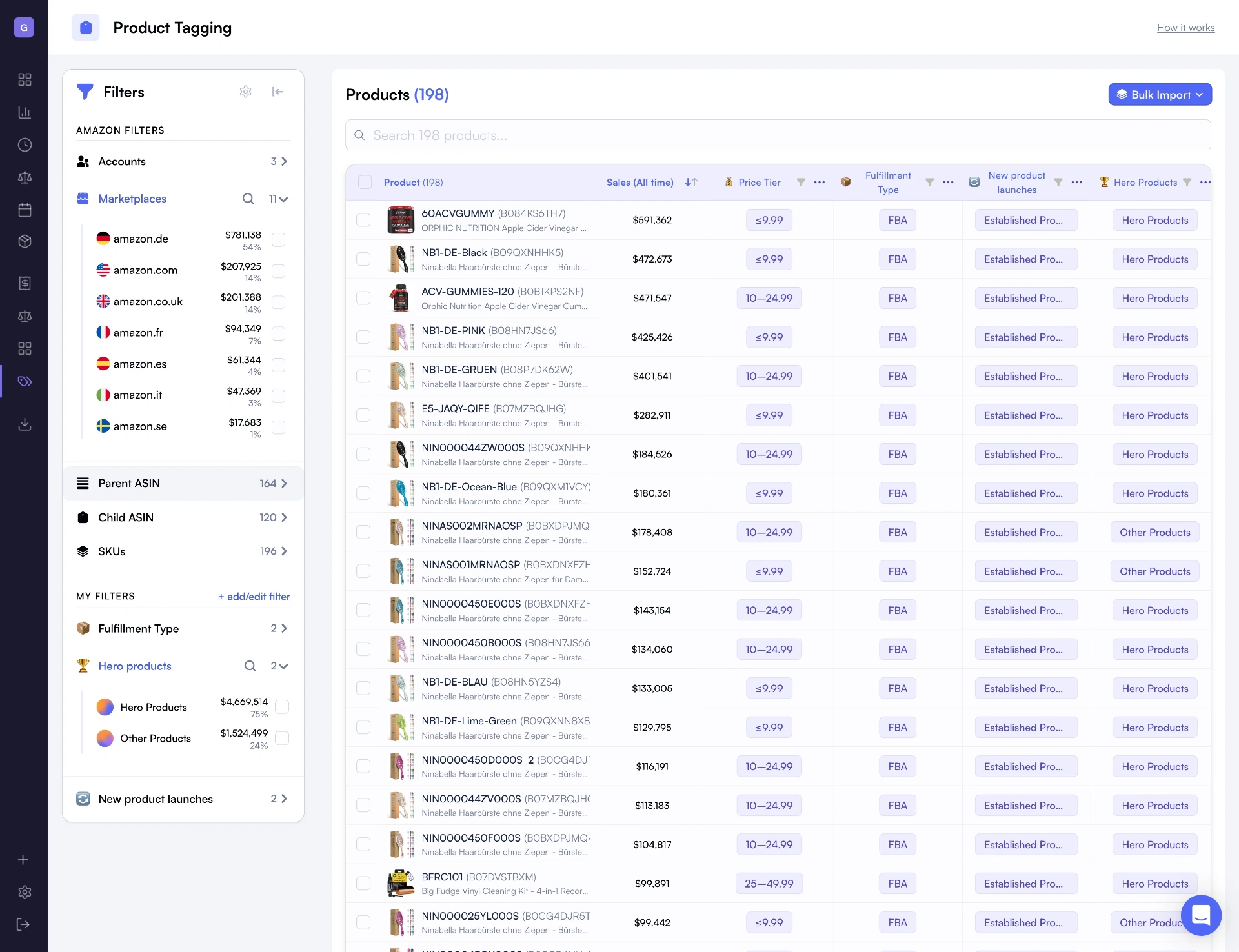
Paste a CSV of ASIN, category, sub-category. Best for the long tail and for migrating an existing taxonomy in one shot.
Tag inside the drawer
Pick SKUs, assign a category, save. Best for hero products where you want full control over the grouping.
Browse-node suggestions
Nova reads Amazon browse nodes via SP-API and proposes a starter taxonomy. You confirm or edit. Useful when you're starting from scratch.
Tag SKUs by category. Save once, every dashboard rolls up.
Explore
What teams actually do with it
Four decisions a category view changes from a guess to a number.
Decide what to fund next quarter
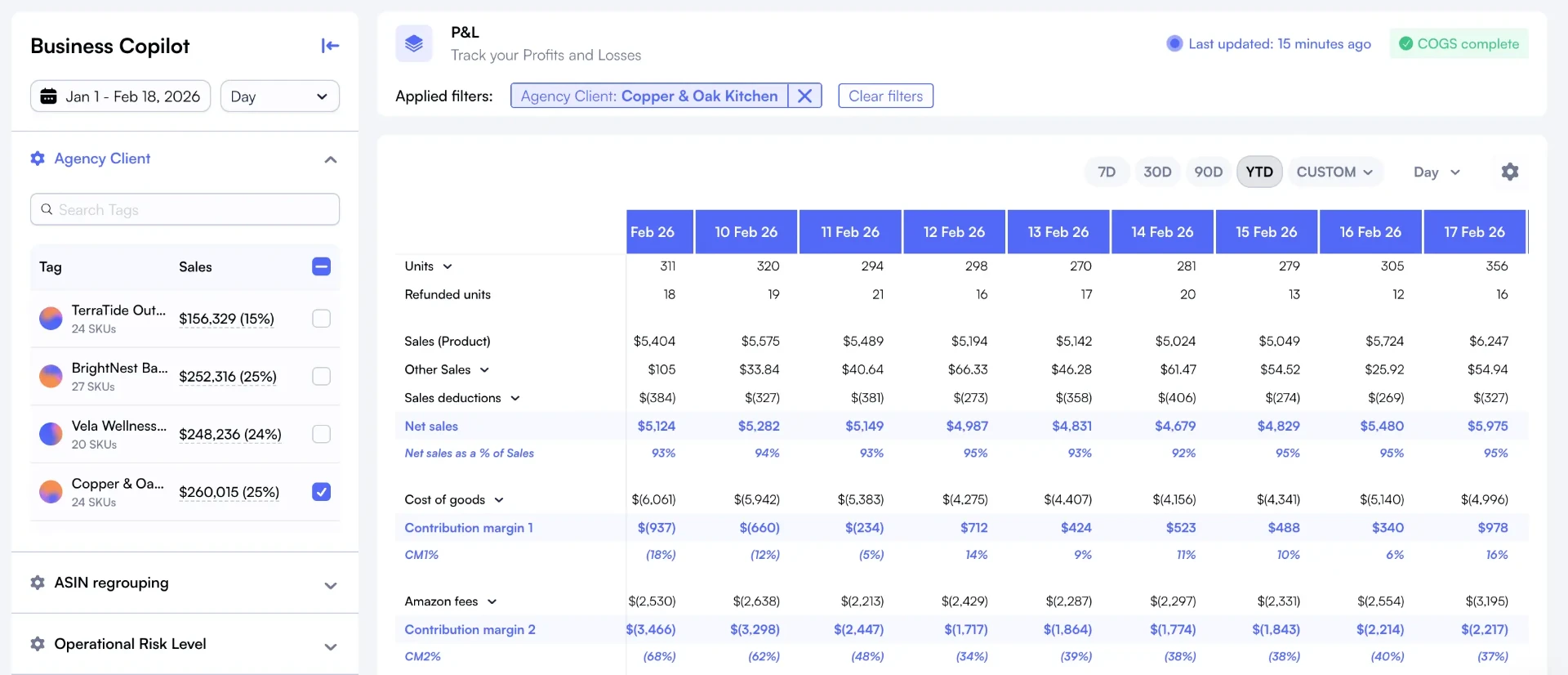
Rank categories by real contribution margin, not gross sales. The category that looks like the winner on revenue is often third or fourth on margin.
Catch sibling-SKU overlap
Open a sub-category. If two SKUs share buyers, the comparison view shows it in seconds. Pick the one to keep promoting.
Spot storage-fee risk early
Sort categories by days of inventory. Anything trending past 90 days is a long-term storage candidate. Act before the FBA bill, not after.
Report category P&L to the board
Save a category view. It refreshes every 30 minutes. No more end-of-month spreadsheet pivot to brief the leadership team.
Category is just one dimension
The same tagging engine powers every other view of your catalog. Build the dimensions that match how you actually run the business.
Lifecycle stage
Launch, scale, mature, sunset. Know when to push and when to pull spend.
Brand manager
Each owner gets their own P&L. Hold teams accountable on real numbers.
Price tier
Compare margin across price bands. Find your real sweet spot.
Supplier
Compare suppliers on margin, return rate, and sell-through.
Fulfillment type
FBA vs FBM vs hybrid economics, segmented.
Profitability tier
Group SKUs by margin band. Focus ad spend on what already prints.
Launch cohort
Track each generation over time. Benchmark new vs legacy.
Seasonal category
Plan inventory and ads around real seasonal demand.
See your portfolio at the category level
Connect your account, build a category taxonomy in minutes, and see contribution margin per category. Free 14-day trial.
Start free trialNova vs Seller Central category reports vs spreadsheets
Seller Central category reports show gross sales. Nova shows contribution margin and inventory health per category.
| Capability | Seller Central | Spreadsheets | Nova |
|---|---|---|---|
| Category P&L with all 40+ fees | Gross sales only | Manual merge | Automatic, per category |
| Sub-category drill-down | Limited | Pivot tables | Unlimited hierarchy |
| Contribution margin per category | Not available | Manual calc | Live, per category |
| TACoS and ACoS per category | Not available | Manual merge with ad data | Built-in |
| Inventory turns per category | Not available | Manual calc | Daily refresh |
| Refresh cadence | Daily, delayed | Manual export | hourly refresh |
How it works
From a flat catalog to category P&L in under 10 minutes.
Connect your Amazon account
Link Seller Central through Amazon's official SP-API. Nova pulls catalog, orders, fees, and ad data.
Build your category taxonomy
Bulk import via CSV, tag inside Custom Breakdowns, or accept browse-node suggestions. Sub-categories nest as deep as you need.
Analyze per category
Open category P&L, the comparison table, and inventory turns. Drill into any sub-category in one click.
Who uses category analytics?
Multi-category sellers, aggregators, and agencies running portfolios that span more than one product line.
$50K - $300K/mo
Multi-category sellers
- See contribution margin per category, not just per SKU
- Spot internal cannibalisation between sibling SKUs
- Catch storage-fee risk before the FBA bill lands
- Decide which category to double down on next quarter
$500K+/mo
Aggregators
- Evaluate acquisitions with category-level P&L
- Compare categories across acquired brands
- Spot the categories that justify roll-up valuations
- Multi-marketplace category roll-up unified
$1M+/mo managed
Agencies
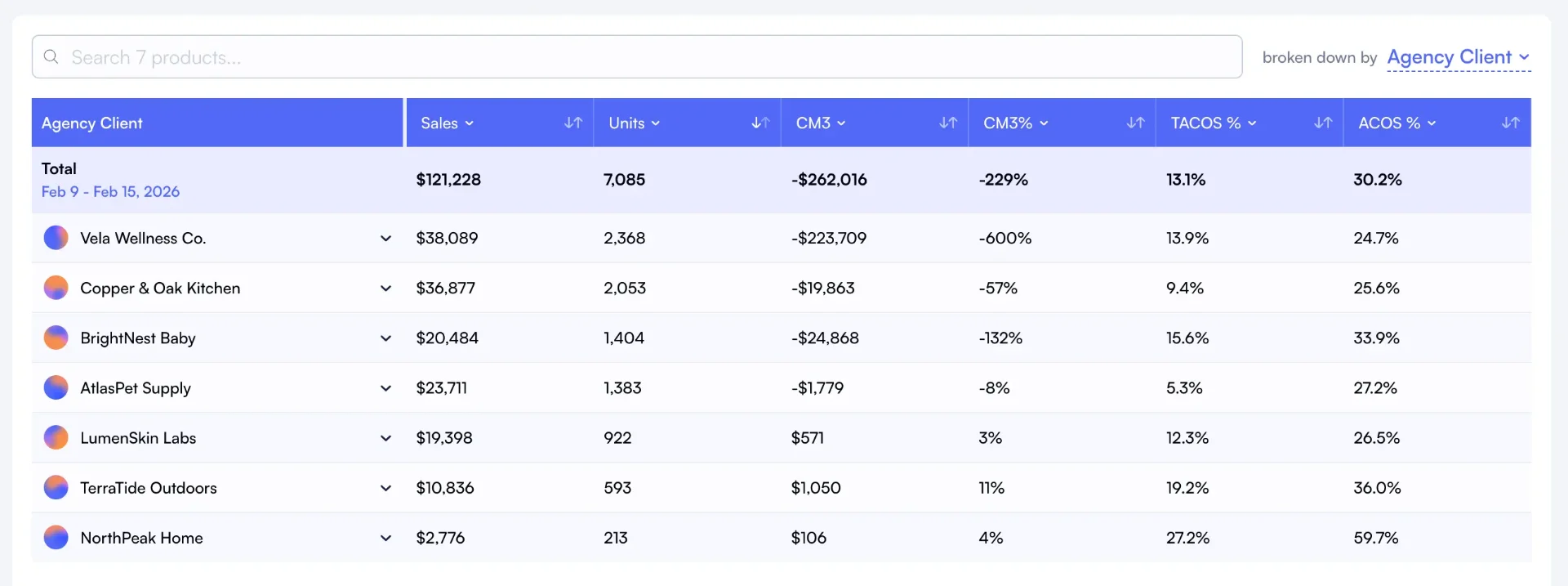
- Per-client category dashboards in one place
- Automated category reports for client reviews
- Compare category strategies across accounts
- Manage 100+ categories from a single view
Category analytics connects to the rest of your Amazon stack. Pair it with Custom Breakdowns, P&L Analytics, brand analytics, and marketplace analytics for complete portfolio intelligence. Track category-level inventory health with inventory analytics.
What is Amazon category analytics?
Amazon category analytics means reading your business at the product-category level instead of SKU by SKU. You group SKUs into categories (and sub-categories), and every dashboard, from P&L to performance drivers, rolls up to that level.
Seller Central ships category reports, but they stop at units and gross sales. They ignore the 40+ FBA and referral fees, COGS, ad spend, and storage. Nova fills that gap with Custom Breakdowns: define the taxonomy once, and category numbers flow into day-to-day sales, PPC analytics, and the rest of the 200+ Amazon metrics automatically.
Why Sellers Choose Nova for Category Analytics
"We sell across 6 categories. Before Nova, we had no idea which category was actually profitable after FBA fees and ad spend. Two of them were underwater. We re-allocated budget in one week."
Head of E-commerce, Multi-category brand
6 categories, 320 SKUs, $450K/month
"Reporting category P&L to our investment committee used to take a full day per portfolio company. Now it is a saved view in Nova. Saved our analyst team 20 hours per week."
Director of Operations, Aggregator
12 brands across 9 categories
Simple, transparent pricing
Start free. Scale when you're ready.
14-day free trial • No credit card required • Cancel anytime
- Profit & loss analytics
- PPC Analytics
- Custom breakdowns
- Buy Box %
- BSR Tracker
- Returns Analytics
- Consolidated Data Exports
- Priority support
Unlimited accounts. Dedicated support.
- Unlimited orders
- Unlimited accounts
- Unlimited team seats
- Advanced User Management System
- Client-first view
- Dedicated account manager
- Custom data exports
- SLA guarantees
Amazon category analytics: frequently asked questions
Everything you need to know about category-level analytics with Nova.
Learn more about Amazon category analytics
Explore in-depth guides to get the most from this feature
Amazon Category Analytics: A Practical 2026 Guide
The pillar guide: define a category taxonomy, tag your SKUs once, and read your Amazon business by category instead of one ASIN at a time.
Amazon Portfolio Segmentation Guide
How to segment your Amazon catalog by category, lifecycle, and brand for better decision-making.
Amazon Profit Margins by Category: 2026 Benchmarks
Healthy margins vary dramatically by category. Compare your margins against 2026 benchmarks for 10 major Amazon categories.
Related solutions
Explore other tools that complement your Amazon selling strategy
Multi-Account Analytics
Manage multiple Amazon accounts and brands from one dashboard
Amazon Marketplace Analytics
Compare performance across US, EU, and all Amazon marketplaces
Amazon Profit Tracker
Track profit trends over time across your entire portfolio
Amazon FBA Analytics Software
Complete FBA analytics with inventory, fees, and profitability
See your portfolio by category
Tag once, read your business by category. 14-day free trial, no credit card.